SAP IdM End of Maintenance: How to Plan the Move
SAP Identity Management 8.0 loses mainstream maintenance on 31 December 2027. What changes and how to migrate to One Identity Manager.
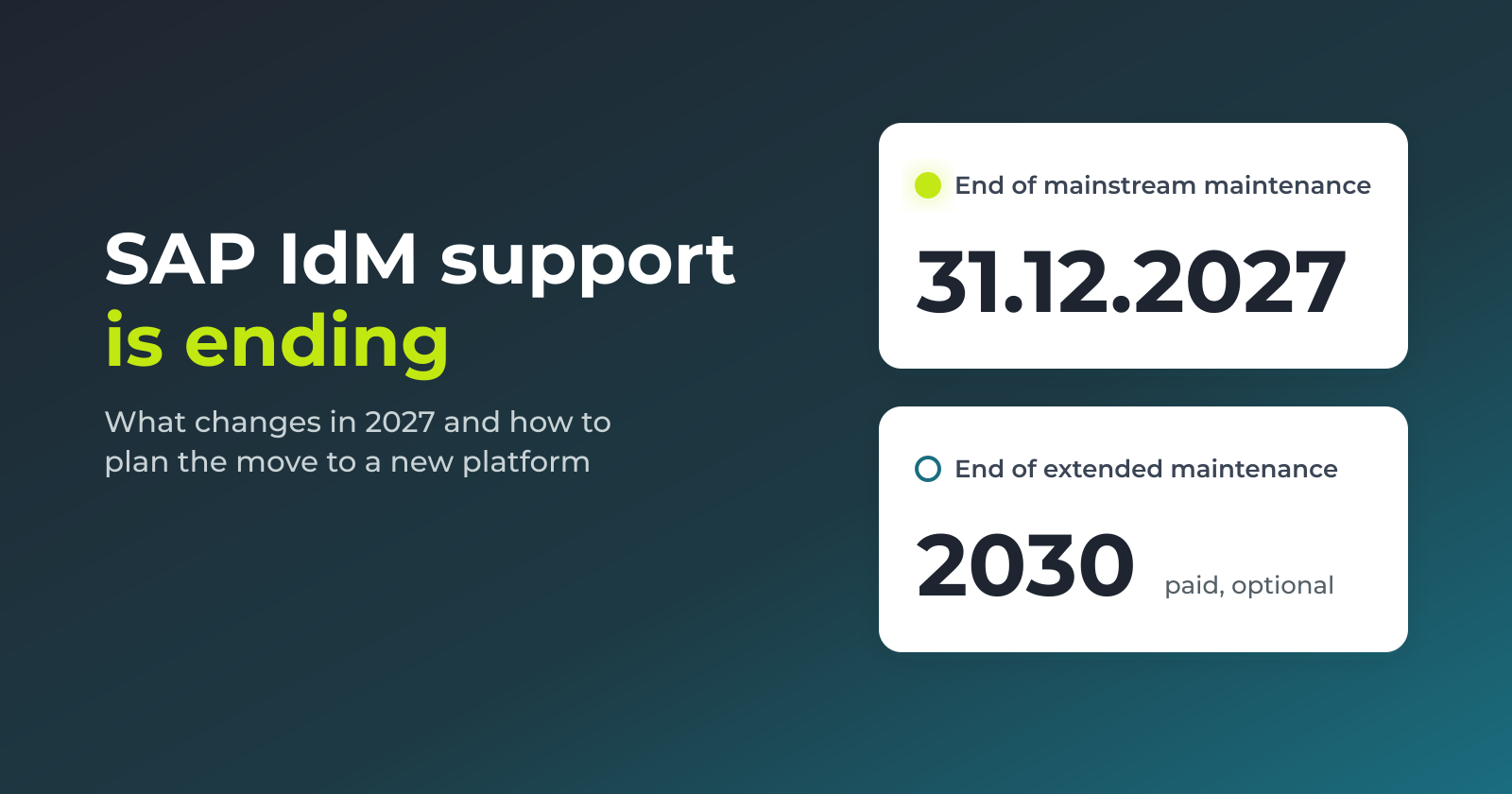
SAP Identity Management 8.0 is the last release of the product. There will be no version 9.0. Mainstream maintenance ends on 31 December 2027, and extended maintenance runs until 2030 at an additional cost.
For many large organisations SAP IdM quietly runs a large part of their access. It creates accounts when people join, it changes roles when they move, and it removes access when they leave. It feeds SAP ECC and S/4HANA, Active Directory and a long list of other systems. Replacing it is not a patch or an upgrade. It is a new identity platform, and it has to be chosen, built and tested while the old one keeps running.
This article covers what the end of maintenance means in practice, how a move to One Identity Manager works, and how to plan the first steps.
The dates, and what they mean
- 31 December 2027. End of mainstream maintenance. After this date SAP stops regular fixes and updates for customers on standard support.
- 2030. End of extended maintenance. This has to be contracted separately and costs extra. It is a way to buy time, not a plan.
SAP IdM runs on SAP NetWeaver Application Server Java. The platform and the product age together, so there is no path to keep IdM current on its own.
Why 2027 is really 2026
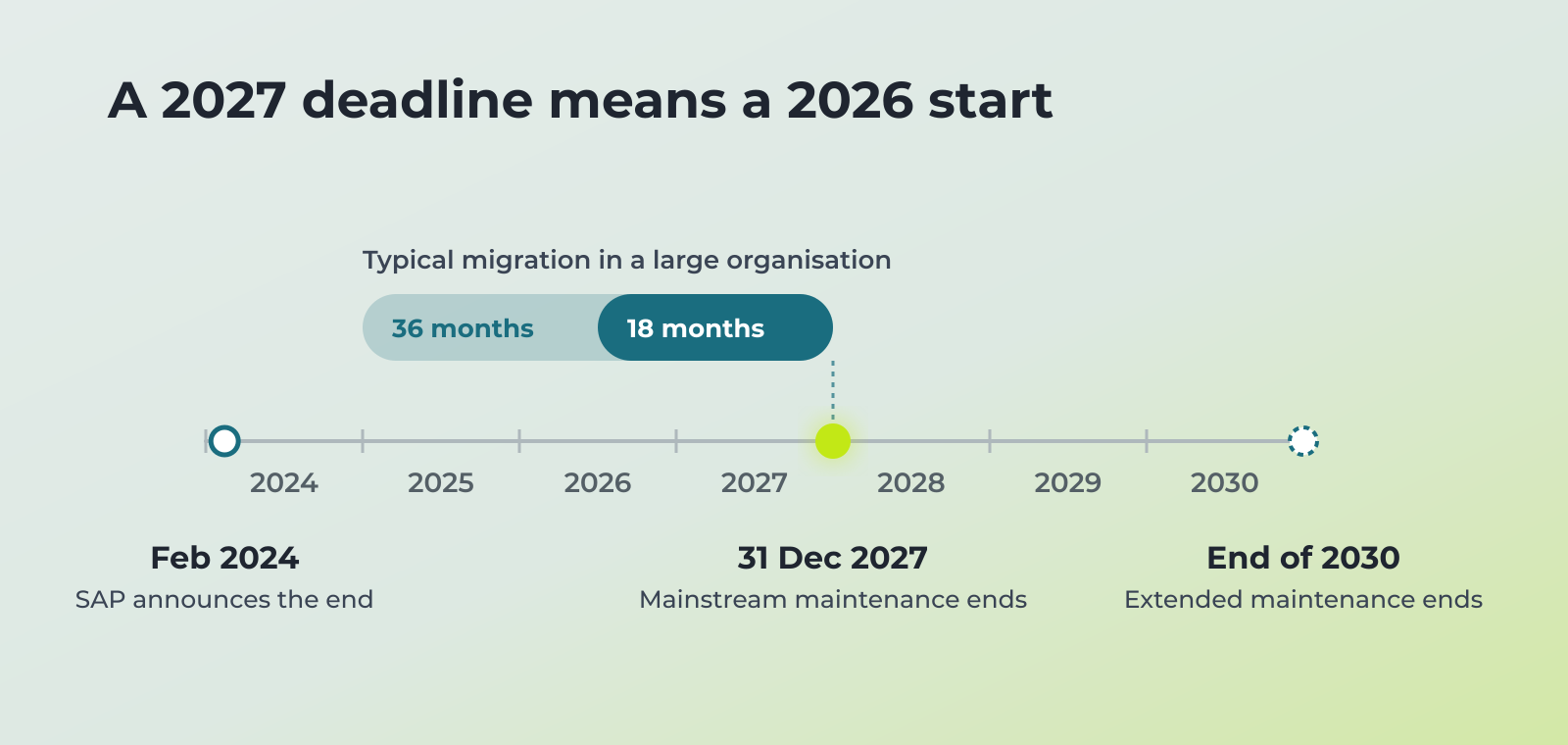
A typical identity migration in a large organisation takes 18 to 36 months, based on estimates from migration specialists. That covers product selection, design, connector work, data clean-up, parallel running and cutover. Most of that time is not spent on the new tool. It goes on understanding what the old one actually does.
For scale: a baseline identity rollout that covers Active Directory, Exchange and part of the automation usually takes around six months. SAP adds to that, and how much depends on the landscape.
Work back from the end of 2027 and the conclusion is simple. A company that has not chosen a direction by the end of 2026 will either pay for extended maintenance or run a compressed project with a higher risk of broken access on cutover day.
There is one more reason to start early. Identity platforms stay in place for many years. The team running SAP IdM today often inherited it and has never migrated one. That experience has to be built or brought in, and both take time.
What happens if you stay
Some organisations will not move. Their SAP IdM is heavily customised, a replacement looks expensive, and staying on an unsupported version feels safer. It rarely is.
Without maintenance there are no fixes from SAP. Bugs stay in place. Security issues in the code stay open unless your own team writes and maintains the patches. New functionality stops. The system slowly turns into a frozen component that nobody wants to touch, while it still controls who can access finance, HR and operations.
The cost of that risk to the business is often higher than the cost of moving.
First, find out what SAP IdM does for you
Every migration we run starts with an assessment. Most SAP IdM installations are ten or more years old. They grew one requirement at a time, and much of the logic lives in custom scripts and jobs that only one or two people understand. Before designing anything, build an inventory:
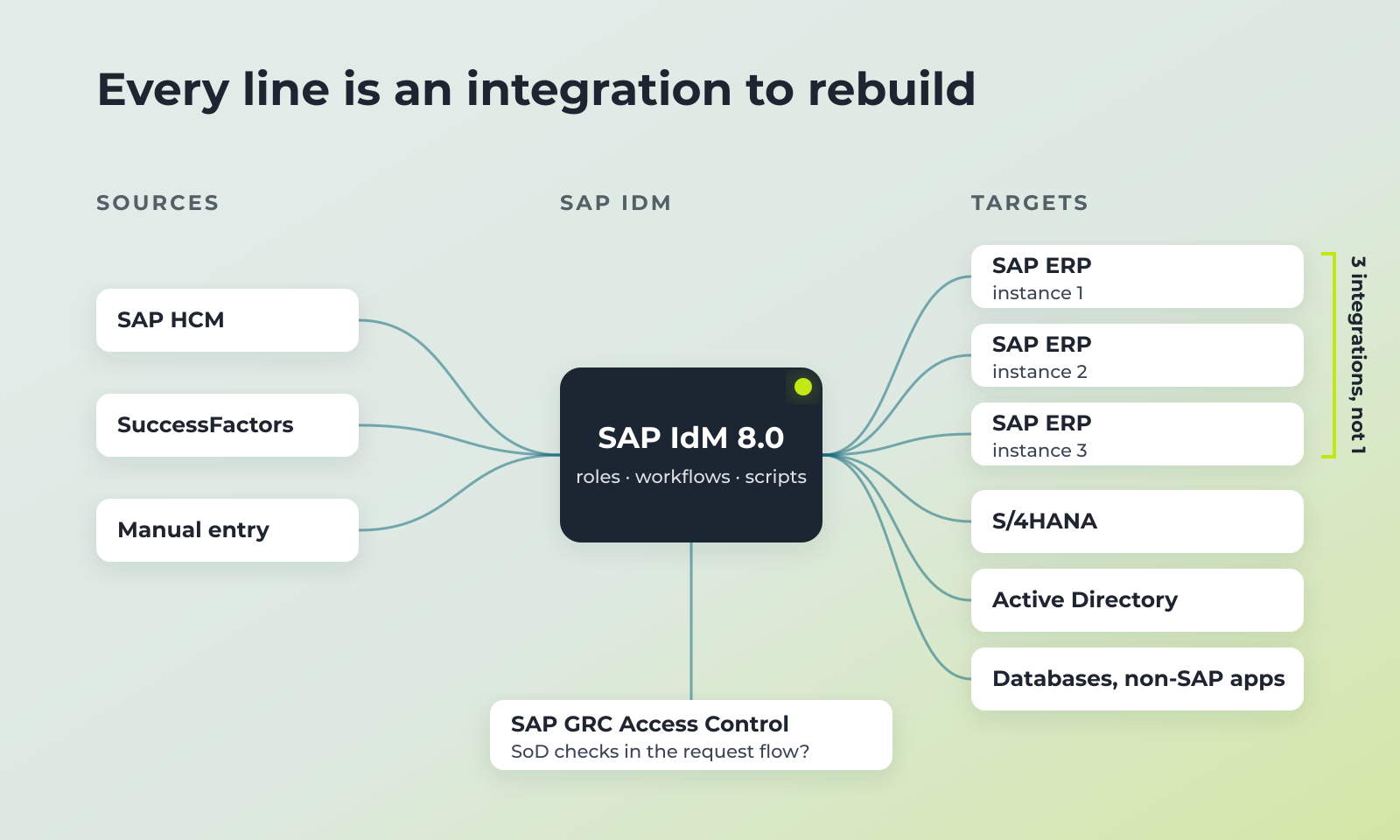
- Sources of identity. Where joiners, movers and leavers come from: SAP HCM, SuccessFactors, another HR system, manual entry.
- Target systems. Every system IdM provisions into: SAP ABAP systems, S/4HANA, SAP Java, HANA, Active Directory, LDAP, databases, non-SAP applications.
- Instances, not just systems. An SAP ERP can sit on top of several underlying systems, or run as several independent installations for different tasks. The new platform connects to each one separately. One integration and ten integrations are very different projects.
- SAP’s own user administration. Part of the provisioning usually goes through SAP’s built-in user management, and part goes directly to the target system. The built-in layer has limits. In some setups it cannot handle password resets, so that part needs a direct connection.
- Business roles. How many there are, who owns them, and how they map to SAP roles and composite roles.
- Workflows. Access requests, approvals, delegations, emergency access.
- Integrations with SAP GRC Access Control. Whether segregation of duties checks happen inside the request flow or after the fact.
- Custom code. Scripts, scheduled jobs and hand-built connectors, with a note of who maintains each one.
- Reports and audits. Which reports auditors and regulators actually receive, and where the data comes from.
- How the portal is really used. In large companies people often request access through other service tools. The IdM self-service portal may matter less than expected, or much more. Check before you design the new one.
This inventory is the most valuable output of the first months. It shows how big the migration really is and becomes the basis of the project plan.
There is no “same, but on a new platform”
Customers often ask for the simplest option: keep everything as it is and move it to the new platform. That option does not exist. Other identity platforms are built differently from SAP IdM. Workflows, scripts, role logic and connectors do not transfer as files. Every function the business relies on has to be rebuilt on the new platform.
So the real work of a migration is reproducing the functionality you need. How long that takes depends mostly on one thing: whether the current setup is documented.
If it is documented, the team works from the description of processes, rules and integrations. This saves time.
If it is not, and this happens often with installations that have been adjusted for ten years, the project starts with reverse engineering. The team reads the scripts, jobs and configuration to work out what the system actually does, then confirms it with the people who use it.
This is also the moment to decide what not to rebuild. Some functions exist only as old workarounds or serve systems that are no longer in use. Rebuilding them costs time and brings nothing.
One shortcut also appears in practice: switch the old system off, switch the new one on, and fix problems as they come. It looks cheap on paper. In an SAP landscape it usually means broken access for real users on day one.
Moving to One Identity Manager
One Identity Manager has worked with SAP landscapes for many years and has an SAP-certified connector. For SAP IdM customers this means most of the inventory maps to standard functions, not to custom code.
- SAP ABAP systems. Users, roles, composite roles and profiles in SAP ECC and S/4HANA are managed from Identity Manager. Each system is connected separately, and Central User Administration (CUA) landscapes are supported.
- HR as the source. SAP HCM and SuccessFactors can drive joiners, movers and leavers, the same way they fed SAP IdM.
- Passwords. Password changes and resets for SAP accounts are handled from the same platform, so they do not depend on the limits of SAP’s built-in user administration.
- Segregation of duties. SoD rules are checked when access is requested, before it is granted. Rules can be defined down to SAP functions and authorisation objects, and Identity Manager can work alongside SAP GRC Access Control.
- Non-SAP systems. Active Directory, Entra ID tenants, databases and other applications are managed from the same console. One process covers a user’s SAP and non-SAP access.
- Migration tooling. One Identity and its partner ASCONSIT offer FASTlane, a tool that speeds up moving identity data and access assignments from SAP IdM to Identity Manager. It shortens the work, but processes still have to be rebuilt.
What the connector covers out of the box is configuration. What it does not cover becomes development. The assessment shows exactly where that line runs for a given landscape.
How UDV can help
UDV Technologies implements One Identity Manager. Our specialists have many years of experience with implementations and migrations. For SAP IdM customers we start with an assessment of the current installation. The output is a list of connected systems and instances, the processes SAP IdM automates, the functions a new connector covers out of the box and the ones that need development, and an estimate of time and cost.
Contact us to discuss your SAP IdM landscape.
FAQ
When does SAP Identity Management support end?
Mainstream maintenance for SAP IdM 8.0 ends on 31 December 2027. Extended maintenance is available until 2030 at an additional cost.
Is there an SAP IdM 9.0?
No. Version 8.0 is the final release. Moving off SAP IdM means moving to a different product.
What can replace SAP IdM?
One Identity Manager is a full identity governance platform with an SAP-certified connector. It manages SAP users, roles and profiles, SoD rules and non-SAP systems from one place, and there is dedicated tooling for migrating from SAP IdM.
How long does a migration from SAP IdM take?
For a large organisation, 18 to 36 months is a common estimate. The biggest variables are the number of connected systems, the amount of custom code and the complexity of the SAP role model.